
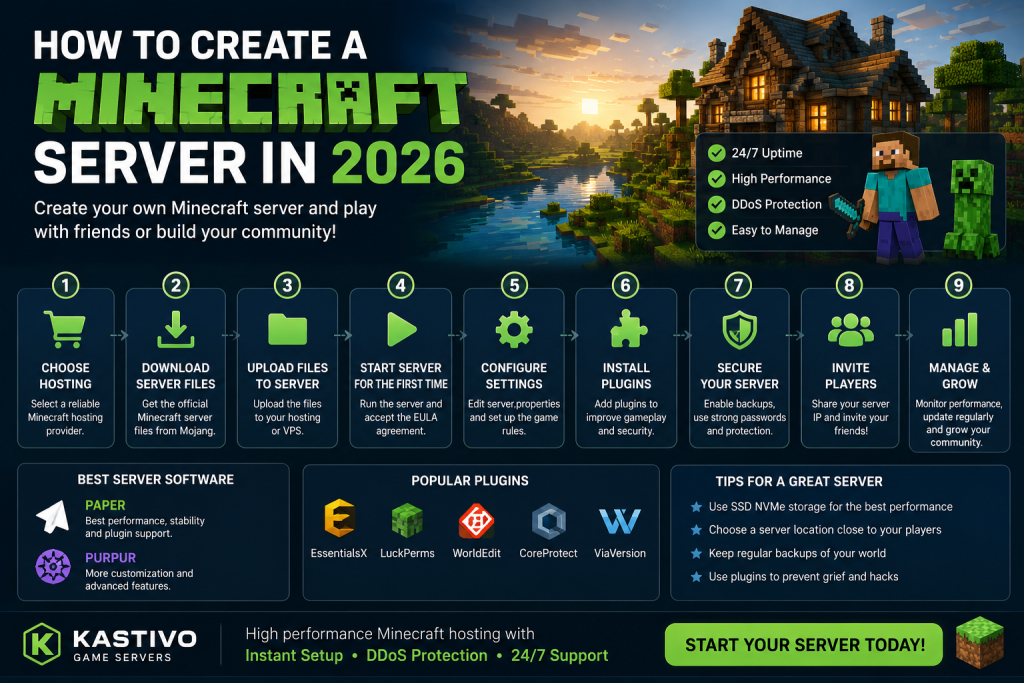
How to Create a Minecraft Server in 2026
Minecraft remains one of the most popular games in the world, and creating your own server is easier than ever. Whether you want to play with friends, build a community, or launch a public server, this guide will walk you through the process.
Why Create Your Own Minecraft Server?
Running your own server gives you complete control over the game experience. You can:
- Play with friends privately
- Install custom plugins and mods
- Create unique game modes
- Build a public community
- Control server settings and permissions
Choose Your Hosting Option
There are two main ways to host a Minecraft server:
Self-Hosting
You can run the server on your own computer. While this is free, it comes with limitations:
- Your PC must stay online
- Higher electricity costs
- Potential performance issues
- Security concerns
Professional Minecraft Hosting
Most players choose game server hosting because it offers:
- 24/7 uptime
- Better performance
- DDoS protection
- Instant setup
- Easy management panels
Install the Minecraft Server
The official Minecraft server software can be downloaded directly from Mojang.
After downloading:
- Create a new server folder
- Upload the server files
- Start the server for the first time
- Accept the EULA agreement
- Restart the server
The server will automatically generate configuration files and game worlds.
Configure Your Server
Before inviting players, customize your settings.
Important options include:
- Maximum players
- Difficulty level
- PvP settings
- View distance
- World generation options
These settings can be modified in the server.properties file or through your hosting control panel.
Install Performance Software
For better performance, many server owners use:
Paper
Paper is currently the most popular Minecraft server software.
Benefits include:
- Improved performance
- Better stability
- Plugin support
- Reduced lag
Purpur
Purpur builds upon Paper and adds additional customization features.
It is ideal for advanced server owners who want more control over gameplay mechanics.
Add Plugins
Plugins allow you to expand your server’s functionality.
Popular plugins include:
- EssentialsX
- LuckPerms
- WorldEdit
- CoreProtect
- ViaVersion
These tools help with administration, permissions, building, and compatibility.
Protect Your Server
Security is important for public Minecraft servers.
Consider:
- Strong administrator passwords
- Regular backups
- Anti-grief plugins
- DDoS protection
- Permission management
A secure server creates a better experience for your players.
Invite Players
Once everything is configured:
- Start your server
- Copy the server IP address
- Share it with friends or your community
- Monitor performance and player activity
Many successful servers begin with just a few players and grow over time.
Final Thoughts
Creating a Minecraft server in 2026 is easier than ever thanks to modern hosting solutions and powerful server software like Paper and Purpur.
Whether you’re building a private world for friends or launching a large multiplayer community, choosing reliable Minecraft hosting and properly configuring your server will ensure the best experience for your players.
Looking for reliable Minecraft server hosting? Kastivo offers high-performance game servers, instant deployment, DDoS protection, and easy server management so you can focus on playing instead of managing infrastructure.
